

A home screen your Samsung TV deserves.
Garage Home replaces the Samsung bar with a clean, full-screen launcher in the style of Android TV. Your apps in the order you choose, widgets, quick controls and a task manager, all with the remote. It gives older TVs a second life.
What it does
Everything one press away
- Your apps, your order. Rearrange the home row from the remote; the full app grid holds everything else.
- Widgets. Clock, weather with a 5-day forecast, and a Today row with news, holidays and exchange rates.
- Quick controls. Mute, volume, brightness and a sleep timer without opening Samsung's menus.
- Task manager. See what's running and close background apps to free memory.
- Kids lock. Protect chosen apps with a PIN.
- Home and power-on. The remote's Home key and turning the TV on bring you back to Garage Home.
- Ambient mode. A photo screensaver when the TV sits idle.
- Garage Player included. Our IPTV player for M3U and Xtream playlists, with a TV guide and PIN locks.
Screens
A look around
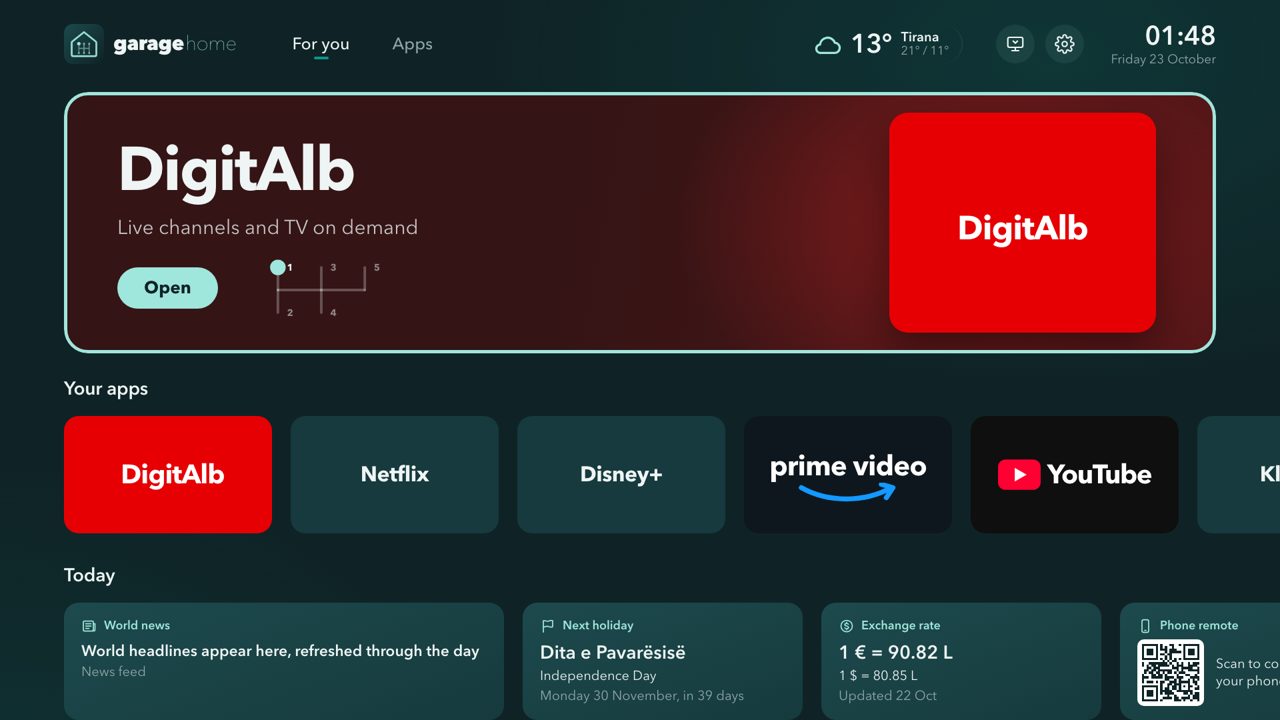
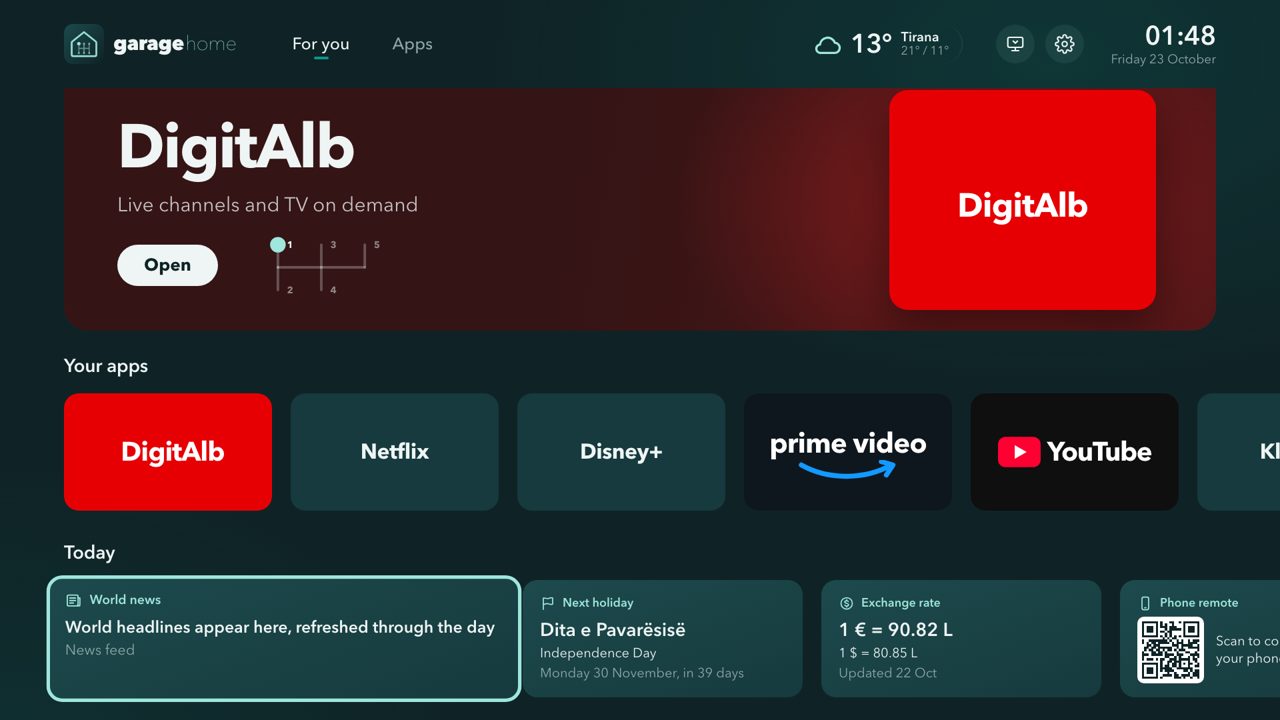
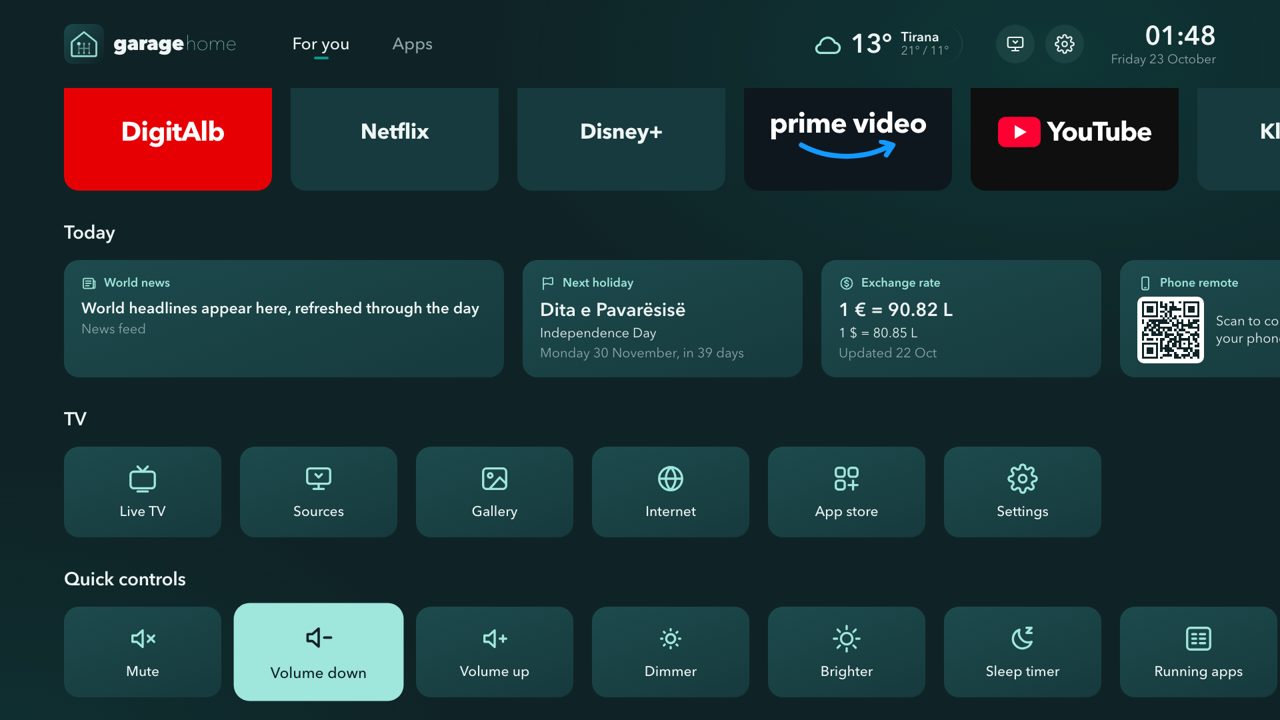
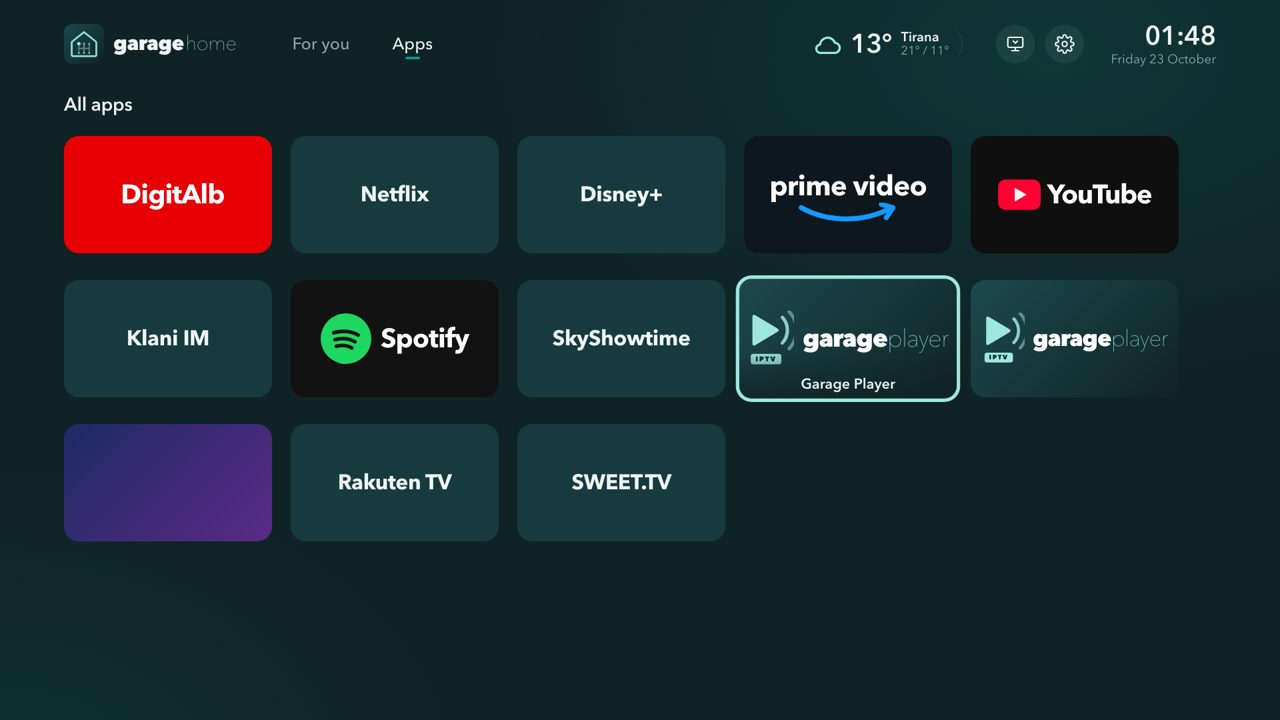
Old TVs, new life
Lighter and quieter
Garage Home uses about 80 MB of memory. Its debloat tool switches off voice assistants, ads and background services you don't use: on our test TV, free memory went from about 534 MB to about 690 MB. Every change can be undone.
Get it
Install Garage Home
Garage Home is installed from its source code: you need Developer Mode on the TV, Tizen Studio with a Samsung certificate, and Vetro for the Home button and quick controls. Using Claude Code? Open the repository and ask it to install Garage Home: it walks you through every step.
Tested on a Samsung Q60A (2021, Tizen 6). Free for personal, noncommercial use (PolyForm Noncommercial 1.0.0). Not affiliated with Samsung.